Open Enrollment is here! November 1 - January 15. Get more info →


Get Started
Home / Start
Home / Start
Open Enrollment is here! November 1 - January 15. Get more info →
Home / Start
Home / Start
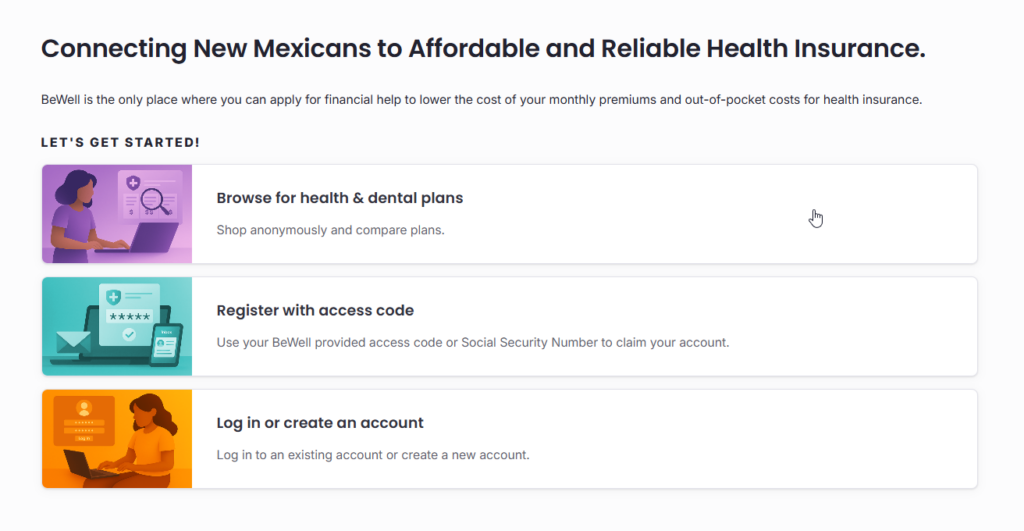
You can browse all health and dental plans and receive a cost estimate before creating an account or applying. Simply go to enroll.bewellnm.com and click “Browse for health & dental plans.”
This is the anonymous shopping tool where you can provide basic information about your household to find out how much insurance may cost, which doctors and hospitals are covered, and if you are eligible for financial assistance through BeWell.
To learn more about how to browse for plans, read our help article.
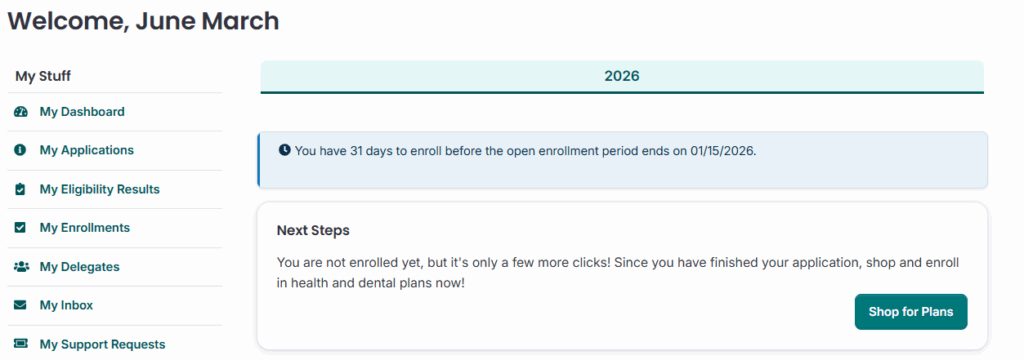
Now that you’ve browsed plans and decided you would like to move forward, it’s time to apply. When am I able to apply?
Go to enroll.bewellnm.com and click create an account. Once you have created an account, login, and click “Start New Application”.
The application with have 5 major sections to complete, and you will need to have all of the personal information available for everyone in your household who is applying for coverage. What documents do I need to apply?
Once you have signed and submitted your application, you will be notified of your eligibility results.
To learn more about applying or creating an account, you can view our in-depth guide here.
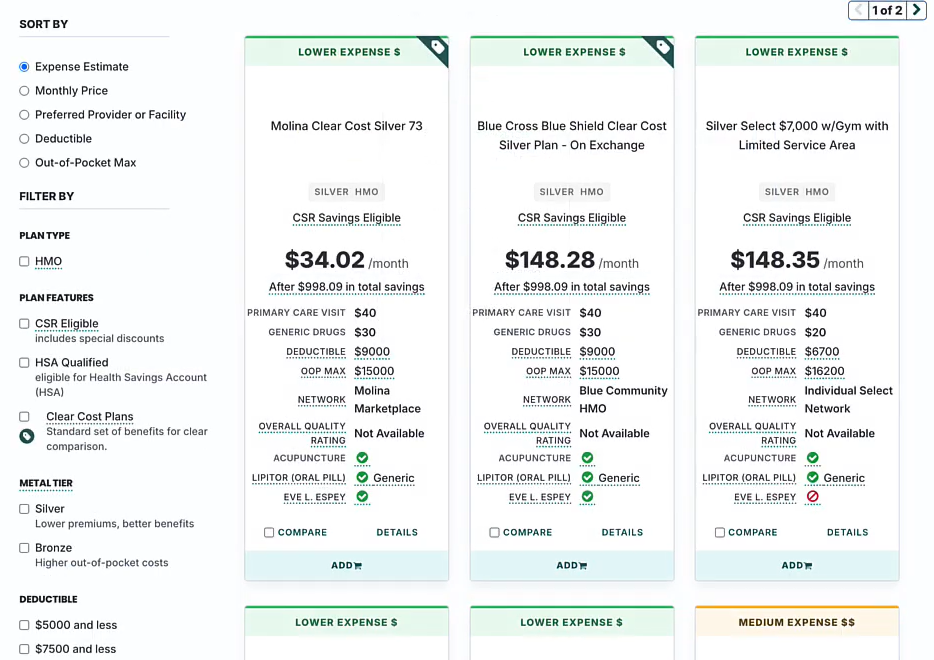
After your application has been accepted, its time to pick your health insurance plan. You may compare up to 3 plans at once using the compare tool. It helps you compare costs, network, and coverage.
When you find a plan that you like, add it to you cart and proceed to dental plans where you will repeat this process, If you do not need a dental plan, there will an option to skip this step.
Once the plan/plans you have selected are in your cart, it is time to checkout. You will be asked several questions to verify your plan selection and, depending on your carrier, be given the option to pay.
You are not enrolled and your coverage does not start until you have made your first payment. Payments are processed and handled through the insurance carrier directly, not through BeWell.
To learn more about plan selection click here and to learn more about how to make a first payment, visit out help article.