

You can watch the video tutorial or follow the written steps below to complete the process.
You may have gotten a message asking you to give BeWell permission to check your eligibility for financial savings if your:
- Latest BeWell health coverage application did not give us permission to automatically check for subsidies.
- Provided permissions have expired.
Follow These Steps to Let Us Check
You will need to have your financial information readily available to complete this process.
- Log in to your BeWell account.
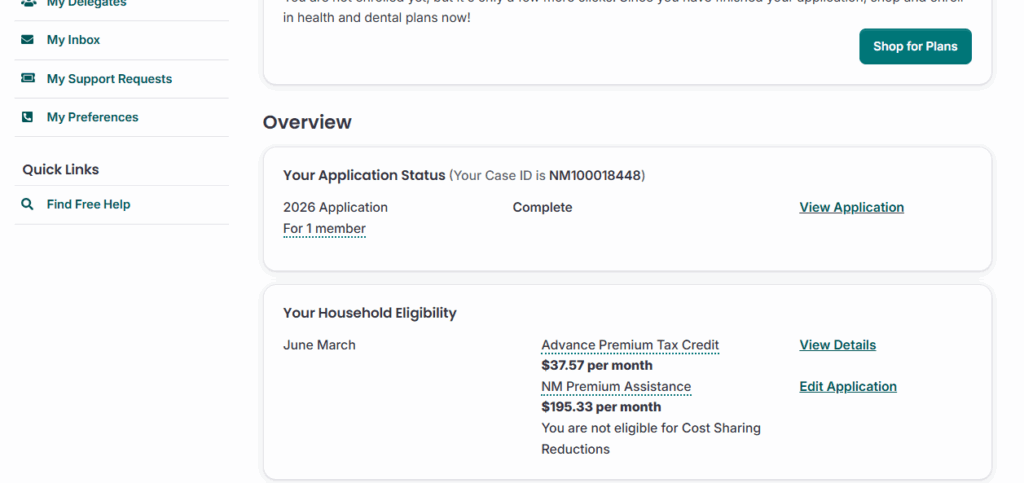
- Scroll to “Your Household Eligibility” on your Dashboard.
- Click “Edit Application.”
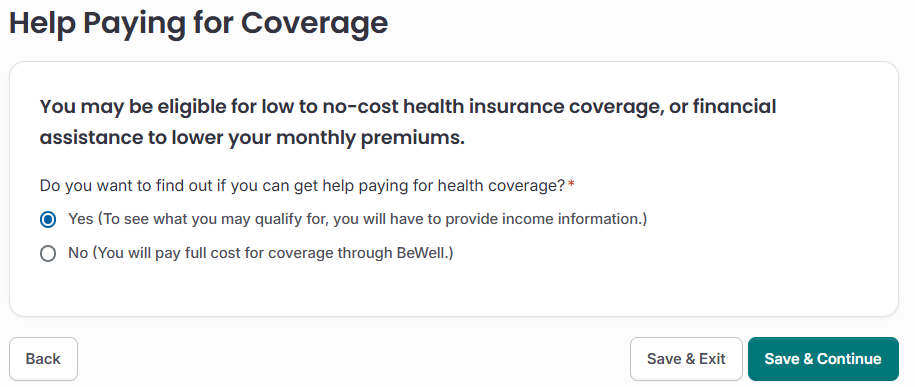
- Click through the application until you get to “Help Paying for Coverage.”
- Change the answer from “No” to “Yes.”
- Click “Save and Continue.”
- Complete the rest of the application for financial savings.
- Click “Submit Application” to see if you are eligible for savings!
How to Check for Discounts Automatically in the Future
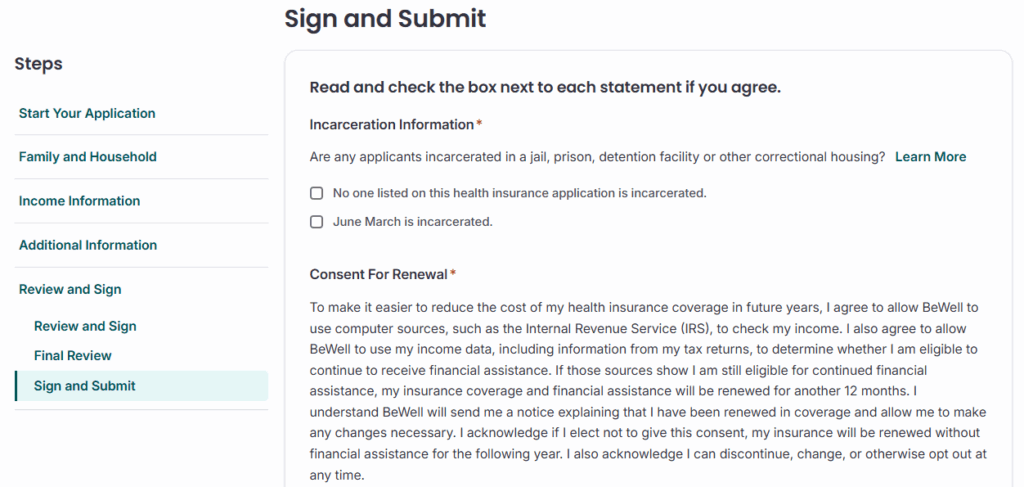
You can choose to let BeWell automatically check your eligibility for discounts in future years. On the “Sign and Submit” page:
- Click “I agree” to consent to the maximum five years.
- Click “I disagree” to consent to fewer years.
If you consent to zero years, you will need to repeat this process next time to check for savings.
Questions? Call 833-862-3935 or TTY 711, chat with us, or schedule a free appointment with a certified assister.